
 App Store
  Google Play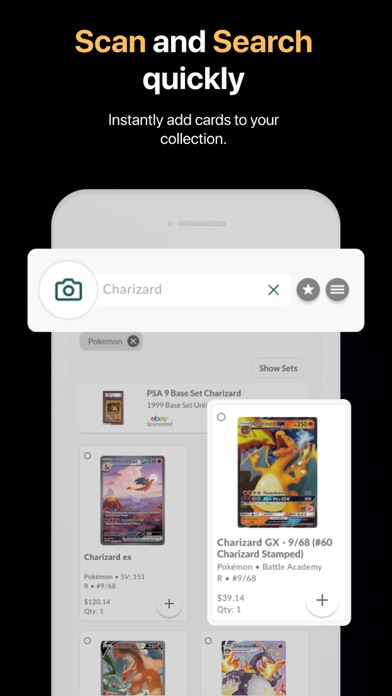
CARD COMPATIBILITY
SUPPORTED GAMES & LANGUAGE EDITIONS.
Collectr lists Pokémon, Magic: The Gathering, Yu-Gi-Oh!, One Piece, Disney Lorcana, Flesh and Blood and Digimon on its official scanning page. Its catalogue provides card-language filters separately from the app interface.
| Game | Card-language editions | Scanner details |
|---|---|---|
| Pokémon catalogue | English, Japanese and Chinese filters | The Pokémon catalogue exposes these three language filters. Collectr also publishes a dedicated Chinese Pokémon set directory. These labels describe catalogue editions. |
| Multi-game catalogue | Select the card-language filter | Use the language filter with your selected game and set to find the relevant catalogue entries. |
Collectr · supported scanning games ↗ · Collectr · Pokémon catalogue and language filters ↗ · Collectr · Chinese Pokémon sets ↗ · Collectr · shared catalogue language filters ↗
THE REVIEW
THE COLLECTION COMES FIRST.
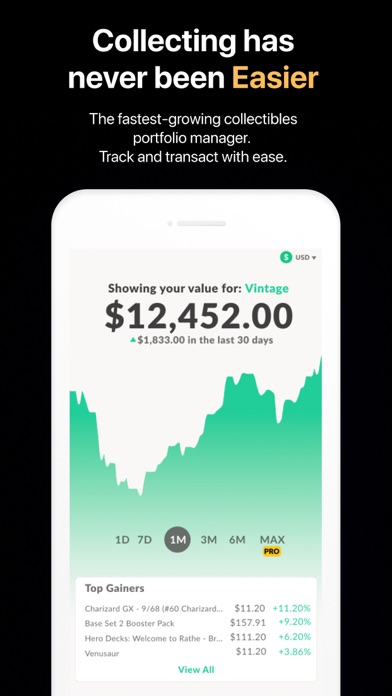
Collectr brings card scanning and portfolio tracking into one workflow. It is suited to collectors who want to organize cards across several games and follow the value of their collection over time.
In this Collectr scanner review, we look at how card identification fits a multi-game portfolio, what changes with PRO, and how useful the collection tools are after the initial scan.
Key features
Its published workflow joins card scanning to portfolio tracking instead of ending at a single price lookup.
Using the app
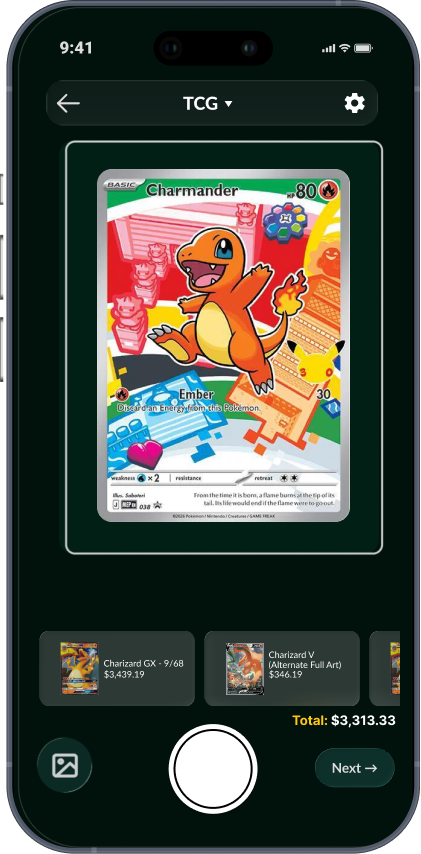
Match the card’s set and variant, then select its condition before adding it to your collection.
Scanning: the path from card to collection
Collectr’s scanner is designed around adding a recognized card to a collection. That is useful when the real task is cataloguing a binder rather than looking up one card at a time. The important step is the match confirmation: a familiar illustration can appear on more than one printing, so the set, collector number and variant deserve the same attention as the name. Once the match is right, a collection workflow lets you return to that card without starting another search. For a mixed collection, the benefit is having that workflow alongside the rest of your portfolio.
Game support and collection scope
Collectr’s official scanner page names Pokémon, Magic, Yu-Gi-Oh!, One Piece, Lorcana, Flesh and Blood and Digimon among its supported games. Its wider catalogue also includes graded and sealed products. This makes it a relevant choice when your collection crosses more than one game or product format. Keep those formats organized in a way that matches how you actually collect: a sealed box, a raw single and a graded card have different uses in a portfolio. A structured collection is easier to search and more useful when you decide what to keep or trade.
Portfolio tools: the reason to keep using it
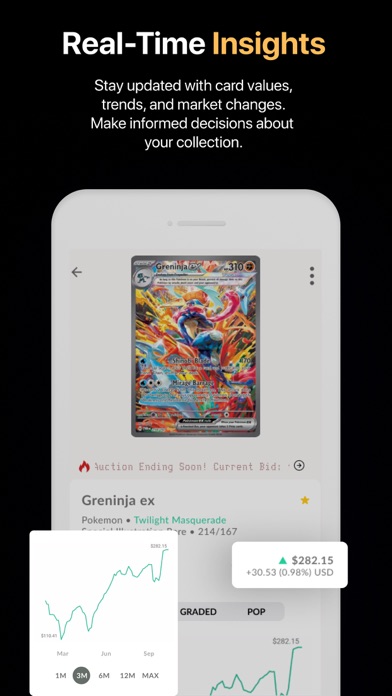
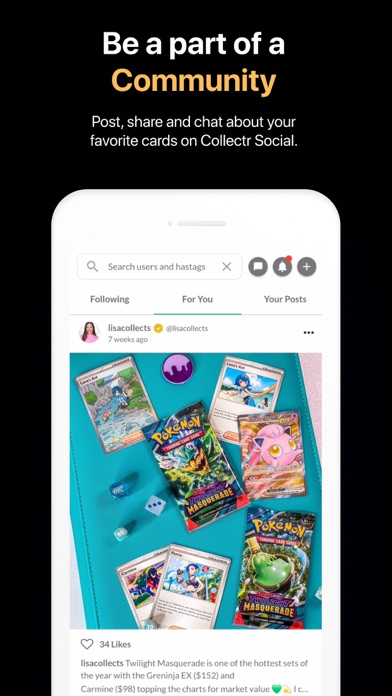
The long-term attraction is the portfolio, rather than the camera alone. A collection view is useful for revisiting holdings, following price changes and understanding where value is concentrated. It also helps answer everyday questions: whether you already own a printing, where a card sits in your collection and which items you want to revisit. Collectr’s recent additions to trade history and sharing extend that organizational approach. If your main goal is simply to check one price occasionally, a lighter workflow may be enough; if you maintain several collections, organization becomes more valuable.
Free versus PRO: decide on the workflow
The practical upgrade question is whether you need unlimited scanning and export tools often enough to pay for them. These are concrete features to compare with your routine. Someone adding a few cards occasionally has a different workload from someone cataloguing an entire collection. The annual plan also changes the commitment: compare the full yearly amount with monthly billing, rather than comparing only the monthly equivalent. Exports are particularly useful when you want a separate copy of your collection data or expect to move part of your workflow to a spreadsheet.
A useful first session
Start with a small, varied selection of cards from the games you collect. Confirm each matched printing and add the cards to a clearly named portfolio. Then revisit the portfolio and check whether the saved entries give you the detail you need. Try correcting an entry as well as adding one; correction is a normal part of maintaining an accurate collection. Finally, explore the plan screen and export options. That sequence tells you whether the complete workflow fits your needs before you commit to cataloguing a much larger binder.
The verdict
Collectr belongs on the shortlist for collectors who want scanning to feed a broader, multi-game portfolio. The appeal is the combination of card identification, collection organization and ongoing tracking. PRO is most relevant when scan volume and exports are recurring needs. For a free marketplace-focused workflow, compare TCGplayer; for a Magic-focused deck and collection environment, compare Dragon Shield. The strongest reason to choose Collectr is that you want the collection hub as much as the scanner.
THE WHOLE COLLECTION
FULL PORTFOLIO SCANNING & MANAGEMENT.
A good choice for turning a collection across several games into one ongoing portfolio. For a large initial scan, the PRO scanning allowance and export tools are the practical deciding factors.
Scanning an entire collection
Collectr connects scanning directly to collection entries. PRO includes unlimited scans, making it a more suitable option for cataloguing a full binder or several boxes than relying on a limited scanning allowance. Work through one game and set at a time, confirm the printing, then set quantities and condition before moving on. Treat duplicate copies as a quantity-management task: the useful result is an accurate inventory, not simply a long scan history.
Managing the portfolio over time
The free tier includes unlimited portfolios, which suits collectors who want to separate games, personal collections and trade stock. PRO adds longer price history, advanced filters and collection exports. That combination makes Collectr especially relevant when maintaining the portfolio after the initial scanning session is as important as getting the cards entered.
Exports and keeping a copy
Collection export is a PRO feature. For a full-portfolio project, include the cost of that tier in your decision if you want a separate copy of your data.
How we would organize the project
Create your portfolio structure first, add a small representative batch and inspect the saved entries. Then scan in manageable groups, checking quantities against your physical collection after each group. Keep traded and sold cards up to date so the portfolio continues to reflect what you own.
Feature source: Collectr’s official free and PRO feature comparison ↗
FREE & PAID.
Free download with an optional PRO subscription. PRO includes unlimited scanning and exports. Collectr’s web offer lists US$7.99 per month or US$59.99 billed annually.
WHAT’S NEW.
Adds saved trade history, links for showcases and sets, a quick-add menu, grade comparisons and scanner flash fixes.
Apple release notes ↗The developer lists saved trade history, new collection links, a quick-add menu and grade comparisons, plus scanner flash fixes.
Google Play release notes ↗APP INFORMATION.
Explore the official listings for app information and download options.
COLLECTR FAQ.
Is Collectr legit?
Yes. Collectr is published by Collectr Inc. and distributed through the Apple App Store and Google Play. Use the official download links above to find the publisher’s app. Source ↗
Is Collectr free?
Collectr has a free tier and an optional PRO subscription. Unlimited scanning and collection exports are PRO features. Source ↗
How much is Collectr PRO?
The official web offer lists US$7.99 monthly or US$59.99 annually. The annual plan is displayed as a US$4.99 monthly equivalent. Source ↗
Does Collectr scan Pokémon cards?
Yes. Collectr’s scanner supports Pokémon alongside Magic, Yu-Gi-Oh!, One Piece, Lorcana, Flesh and Blood and Digimon. Source ↗
Can I save trades in Collectr?
The latest release notes add saved trade history, so you can return to a trade after comparing it. Read our saved-trades article for the update. Source ↗
Is Collectr suitable for scanning a full collection?
A good choice for turning a collection across several games into one ongoing portfolio. For a large initial scan, the PRO scanning allowance and export tools are the practical deciding factors. Source ↗