
 App Store
  Google Play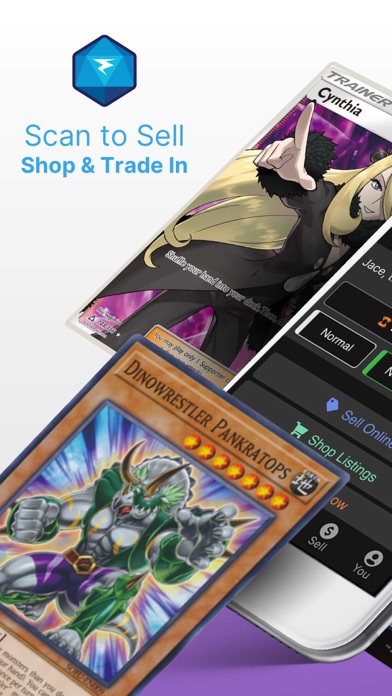
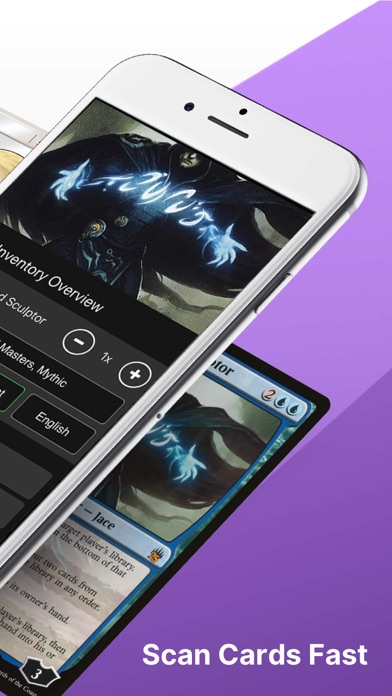
CARD COMPATIBILITY
SUPPORTED GAMES & LANGUAGE EDITIONS.
TCGplayer lists Pokémon, Magic: The Gathering, Yu-Gi-Oh!, One Piece, Disney Lorcana and other marketplace games. Its mobile app lets you set the card language and printing before or after scanning.
| Game | Card-language editions | Scanner details |
|---|---|---|
| Supported marketplace games | Selectable card language | Choose card language, condition and printing in the mobile app to view prices for the relevant variant. |
| Japanese Pokémon | Japanese catalogue; manual entry | TCGplayer’s Japanese Pokémon FAQ says the mobile scanner cannot identify Japanese Pokémon cards. It directs sellers to individual product entry or CSV inventory upload. |
TCGplayer · official app listing and supported games ↗ · TCGplayer · mobile app FAQ and language selection ↗ · TCGplayer · mobile scanning settings ↗ · TCGplayer · Japanese Pokémon scanning and inventory FAQ ↗
THE REVIEW
A FREE PLACE TO START.
TCGplayer combines card scanning, market pricing and collection lists in a free app. Its connection to the TCGplayer marketplace makes it a practical option for collectors who want to identify, organize and shop for cards in one place.
In this TCGplayer scanner review, we assess the free scan-to-list workflow, marketplace pricing and exports, including how they fit a full collection inventory.
Key features
Scanning, pricing and lists sit in the same marketplace ecosystem. The official FAQ also documents export and seller workflows.
Using the app
Select the set, printing and condition for a card match. Sign in to save your collection and access eligible seller tools.
Scanning with a marketplace behind it
TCGplayer connects card identification with the catalogue and pricing used by its marketplace. This gives the scanner a clear purpose: move from a physical card to a recognizable listing, then organize or explore that card. The match still needs a collector’s attention. Set, printing, language and condition all contribute to finding the right entry. The official workflow provides ways to adjust those details, which matters when two cards share artwork. For a collector who already uses TCGplayer to browse cards, the scanner keeps identification and marketplace research close together.
Supported games and everyday use
The app’s listing names a broad set of games, including Pokémon, Magic, Yu-Gi-Oh!, One Piece, Lorcana, Star Wars Unlimited and Digimon. The official FAQ describes support across the games on its marketplace. That breadth makes it relevant to a mixed collection rather than just one deck-building community. The useful starting point is your own card mix: select the game and check the returned edition for a handful of cards before scanning a stack. Consistent choices for printing and condition help keep the resulting list useful later.
Prices: start with the correct entry
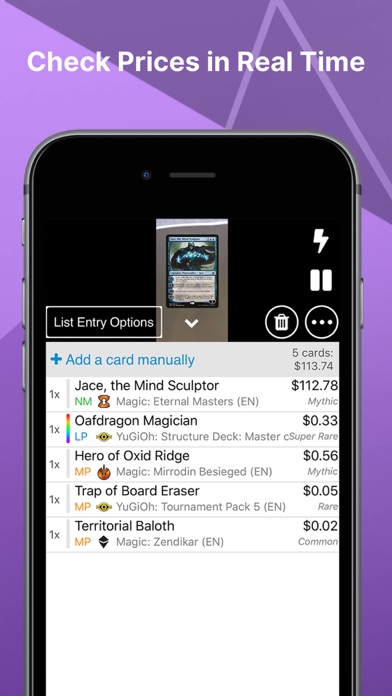
A price lookup becomes useful only after the right card is selected. TCGplayer makes marketplace information part of the scanning workflow, so it is convenient to move from identification to pricing context. For a collector sorting a binder, that can help organize attention around cards worth researching further. Keep the task clear: identifying a printing, assigning a condition and choosing a sale price are separate decisions. Use the app’s card details to investigate the relevant entry rather than treating every card with the same name as interchangeable.
Lists, accounts and seller workflows
Lists are central to turning a scanning session into something you can return to. The official FAQ distinguishes temporary lists from saved collection features that use a TCGplayer account. It also describes export options and a route into seller inventory for eligible sellers. That gives the app a practical connection to established marketplace workflows. A collector can use it to organize cards, while an eligible seller can investigate how those lists fit an inventory process. Decide how you want to use the resulting list before starting a long session so that you save it in the right place.
Cost and the first session
The official FAQ describes the app as free to download and use. That makes it an accessible comparison point when deciding whether another scanner’s paid tier adds enough value. Begin by scanning a few cards, correcting their details and reviewing the list. If you want to keep a collection across sessions, sign in and check that the cards appear where you expect. A free workflow can still involve time and organization, so the most useful comparison is the full path from scanning to the list you actually need.
The verdict
TCGplayer is our Editor’s Choice for a free scanning workflow because its official offering combines scanning, card prices and lists without a scanner subscription. It is particularly relevant when you already research or trade through the TCGplayer marketplace. Collectr offers a portfolio-oriented alternative, while Dragon Shield concentrates on Magic-specific collection and deck tools. Choose TCGplayer when a free route from physical cards to organized marketplace-linked entries is the main requirement.
THE WHOLE COLLECTION
FULL PORTFOLIO SCANNING & MANAGEMENT.
A practical free option for building a full card inventory, especially if you want CSV files or already use TCGplayer. Its strongest fit is maintaining useful card lists connected to marketplace pricing.
Scanning an entire collection
The official FAQ describes scanning one card at a time in succession, including cards in sleeves or binder pages. A full collection therefore needs a card-by-card workflow. Set game and variant options for each group, and correct the printing when the same artwork appears in several sets. Saved collection lists require an account; choose those before starting a long session.
Managing the portfolio over time
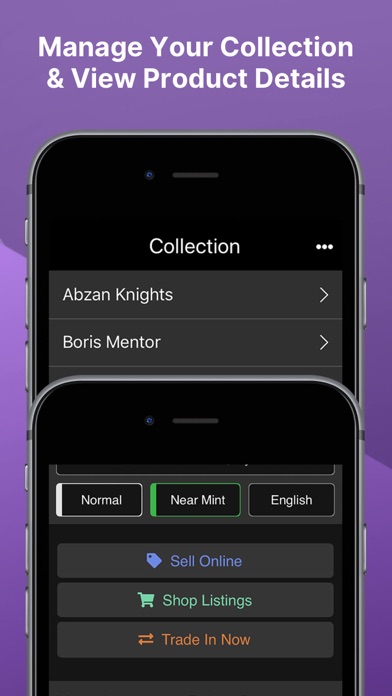
Cards can be kept in collection lists with printing, language and condition details. Marketplace prices help you revisit individual entries, while CSV and plain-text exports suit collectors who want to work with their inventory elsewhere. This is a good match for sorting trade stock or preparing a sales list. For a portfolio dashboard as your main daily view, compare Collectr’s approach as well.
Exports and keeping a copy
Lists export as CSV or plain text. Importing a scanned list into TCGplayer seller inventory is available to Level 4 sellers.
How we would organize the project
Organize your physical cards into small groups that match your saved lists. Reconcile each group before scanning the next, then export a sample and check that the fields are useful in your spreadsheet. This avoids discovering a list-structure problem after entering an entire collection.
Feature source: TCGplayer’s official scanning, collections and export FAQ ↗

FREE & PAID.
The official FAQ describes the app as free to download and use. Purchases of trading cards through its marketplace are separate from the scanner’s cost. Certain collection and seller features require an account; importing to seller inventory is limited to eligible sellers.
WHAT’S NEW.
Fixes prices failing to refresh when moving between cards, alongside smaller bug fixes.
Apple release notes ↗Adds scanning support for Palworld and Cyberpunk 2077 cards, along with general bug fixes. The Android notes differ from the iOS release notes.
Google Play release notes ↗APP INFORMATION.
Explore the official listings for app information and download options.
TCGPLAYER FAQ.
Is the TCGplayer app legit?
Yes. This is TCGplayer’s official app, connected to its marketplace and available through the store links above. Source ↗
Is TCGplayer free to use?
Yes. TCGplayer’s official FAQ says the app is free to download and use. Buying cards is a separate marketplace transaction. Source ↗
Can TCGplayer scan Pokémon cards?
Yes. The official FAQ states that the scanner supports games and sets available on TCGplayer, including Pokémon. Source ↗
Do I need an account for the TCGplayer scanner?
Scanning does not require an account. Collections and seller features require you to sign in. Source ↗
Can I export a TCGplayer card list?
Yes. Lists can be shared as plain text or CSV. Eligible Level 4 sellers can import lists into seller inventory. Source ↗
Is TCGplayer suitable for scanning a full collection?
A practical free option for building a full card inventory, especially if you want CSV files or already use TCGplayer. Its strongest fit is maintaining useful card lists connected to marketplace pricing. Source ↗